
The Telegram Bot API for your unified inbox
A unified inbox for your Telegram bot's direct messages.
- Free tier, no credit card
- Instant API key
- MCP server included
Sam O.
last seen recently

/start18:41
Got my order, that was fast!18:42
Glad they arrived!18:45

Wrong size, can I return these?❤️09:12
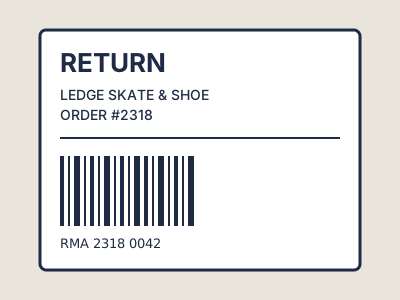
Sure, bring them in with this label.09:14
/v1/inbox/conversations/{id}/messages200 OKCapabilities: What you can build on Telegram
Every capability is one endpoint, the same one you call on every other platform.The screens show where each call lands.
Direct Messages
Read direct messages your bot receives and reply with text, a photo (by URL), or a document (by URL).
- GET
/v1/inbox/conversations - POST
/v1/inbox/conversations/{id}/messages
Maya R.
last seen recently
 Today
TodayCan I see the new lows?11:20

Here they are, in store Saturday.11:21
- GET
Webhooks
Receive real-time webhook events the moment a user messages your bot.
Webhook events
dm.received
On every platform
Agent-ready
Every Telegram capability is a typed tool on the SocialAPI.ai MCP server.
- social_api_send_dm
One API key
The key that calls Telegram calls all 13 platforms.
Authorization: Bearer sapi_key_…Predictable errors
The same status codes everywhere, whatever the platform behind them.
- 401expired token
- 429rate limited
- 501not on this platform
Call the Telegram API
Connect a Telegram bot
Telegram bots use a static token from @BotFather, not OAuth. Pass the token in metadata and SocialAPI.ai validates it, registers the webhook, and stores the account in one call.
curl -X POST https://api.social-api.ai/v1/accounts/connect \
  -H "Authorization: Bearer <your-api-key>" \
  -H "Content-Type: application/json" \
  -d '{
    "platform": "telegram",
    "metadata": { "bot_token": "<token from @BotFather>" }
  }' | jq

# Response (HTTP 201)
{
  "account_id": "acc_01HZ9...",
  "platform": "telegram",
  "username": "mysocialinboxbot",
  "display_name": "My Social Inbox Bot"
}
In depth: How the Telegram API works on SocialAPI.ai
Connect a Telegram bot with a token from @BotFather and read and reply to its direct messages through the same API you use for every other platform. SocialAPI.ai wraps the Telegram Bot API and delivers inbound messages in real time via webhooks. Telegram is a messaging connector: it handles DMs, not posts or comments.
Real-time inbound DMs
When you connect a bot, SocialAPI.ai registers a Telegram webhook automatically. Every direct message your bot receives is ingested in real time and surfaced in the unified inbox, with the same conversation and message schema used across all platforms. Telegram has no message-history API, so the inbox is built from messages that arrive after you connect.
Send replies in one call
Reply to a conversation with text, a photo by URL, or a document by URL. SocialAPI.ai picks the right Telegram method for you. Replies go out through the same send-message endpoint you already use for other messaging platforms.
Two-minute setup, no app review
Create a bot by messaging @BotFather and sending /newbot, copy the token, and paste it. There is no developer account, no business verification, and no app review. Contrast that with Meta platforms, which require an approved app before production access.
Simple, honest pricing.
Reading comments, DMs, and mentions is free and unlimited on every plan. Paid plans start at $29/mo with unlimited posts and interactions. The free tier needs no credit card.
Frequently asked questions
What developers ask before they ship Telegram.
How do I get a Telegram bot token?
Open Telegram, message @BotFather, send /newbot, and follow the prompts to choose a name and a username ending in bot. BotFather replies with a token of the form <bot_id>:<secret>. Paste that token when connecting. The whole process takes about two minutes with no app review.
Can I publish posts to Telegram?
No. The Telegram connector in SocialAPI.ai is messaging-only. It reads and replies to your bot's direct messages. It does not publish posts to channels or groups.
Does Telegram work for private chats and groups?
The connector is built around direct messages, where the conversation maps to the user's chat with your bot. A bot can only see messages a user sends after starting it, and a bot can never message a user who has not messaged it first.
Every other platform, one API: Every other platform, one API
Same key, same shapes, same webhook.
Ready to unify your social interactions?
Free tier available. No credit card required. Ships with the MCP server.